

Data recovery is one of the key elements for success in modern business. Projections by NetApp show that by 2031, a ransomware attack is expected to occur every two seconds — a pace faster than you can say “ransomware.”
Looking back over the past year, the average cost of data recovery after a ransomware attack reached USD 4.35 million. What’s more shocking is that the time spent recovering data often costs 10 times more than the ransom usually demanded.
Because of this, it is vitally important for all businesses to deeply understand which strategies are truly effective in handling ransomware including how to recover data safely and as quickly as possible. Curious to know? Here’s the full breakdown.
6 Strategies to Overcome Ransomware and Recover Data

If you want a deeper insight into effective strategies to deal with ransomware, here are important steps you can apply.
1. Incident Response & Containment
When ransomware is detected, the first step is to act quickly. Isolate infected systems to halt the spread. Security teams must identify the ransomware strain and decide whether data can be restored from storage or whether negotiation is necessary.
2. Data Recovery from Clean Storage
If you have a reliable storage solution, immediately recover data from secure backups before re-introducing systems. Ensure that the backup storage is isolated from vulnerable network segments.
3. Remediation & Patch Systems
After recovery, update all systems and software with the latest security patches. Ransomware often exploits unpatched vulnerabilities.
4. Strengthen Security Measures
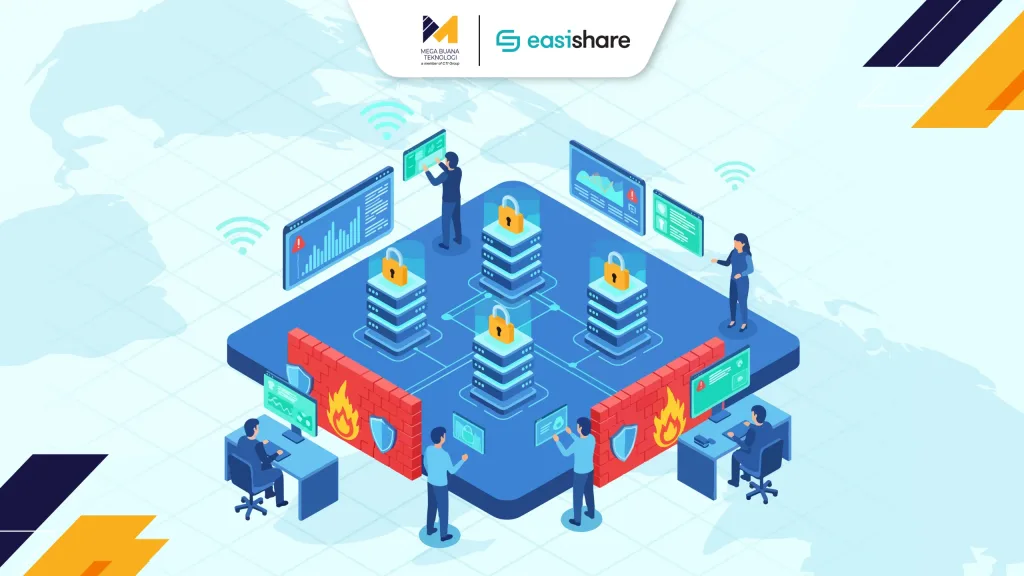
Enhance your security posture by using firewalls, antivirus, anti-malware, or more advanced threat‐detection solutions. Include behavioral analytics to detect previously unknown threats.
5. Involve Law Enforcement & Incident Reporting
Engage with authorities to investigate the attack and hold the perpetrators accountable. Also report the incident following applicable regulations this can help mitigate impact for your organization and contribute to overall industry safety.
6. Learn from the Incident
Review your incident response — what worked, what didn’t. Identify improvements for future prevention. Ask: how can we avoid similar attacks going forward?
If you’ve already lost data due to ransomware, don’t be panic! You can still implement these six steps to restore business operations.
What to Do When Data Loss Already Happened?
Here’s a more practical, step-by-step guide if your data is already lost because of ransomware:
1. Assess Data Loss Impact
First, evaluate which data is lost, how critical it is, and how it affects business operations. This helps prioritize recovery efforts.
2. Choose the Right Recovery Technique
Depending on the data loss scenario, use recovery software, backup restoration, or professional data-recovery services.
3. Ensure Proper Backup & Data Redundancy
Regularly back up important data to secure locations storage servers or cloud backup and use redundant copies to prevent data loss due to device failure or corruption.
4. Perform Data Recovery Process
Recover data from secure backup storage or use specialized recovery tools if backups aren’t available. This may involve data reconstruction or restoring to previous stable volumes.
5. Proactive Data Management & Access Controls
Implement strong data governance policies: strict access permissions, regular backups, and staff trained in safe data handling practices.
6. Continuous Monitoring & Disaster Recovery Plan
After recovery, maintain regular monitoring of data and system health to detect issues early and prevent future losses. Develop a disaster recovery plan for major incidents (e.g. hardware failure or natural disasters).
Ensure that you adopt innovative and effective solutions to minimize damage from ransomware attacks or unexpected data loss. One such solution is NetApp Snapshot, a powerful tool for data protection and fast recovery.
NetApp Snapshot: Ensure Data Safety & Availability
NetApp pioneered large-scale storage systems with point-in-time snapshot capability, develop NetApp Snapshot uniquely powerful and beneficial for corporate data protection.
Real-time Protection
You can create snapshots while applications are running, protecting data with up to 255 snapshot copies per volume. These snapshots integrate with software such as SnapManager, SnapMirror, SnapProtect, SnapRestore, and SnapVault.
Stability & Consistency
Snapshots are read-only, static, and immutable, ensuring backup consistency without affecting system performance or data integrity.
Performance Without Disruption
Creating or deleting a snapshot has minimal impact on system performance when configuration is correct.
Scalable Backup Capacity
You can have up to 255 snapshots per storage volume, giving flexibility without worrying about running out of storage space.
Efficient & Easy Recovery
Snapshot-based recovery makes data restoration straightforward — ideal for backup archives, compliance, and e-discovery needs.
Smart Storage Utilization
NetApp snapshots only store data changes (delta), minimizing storage consumption while maximizing protection.
Ransomware Recovery Guarantee from NetApp

NetApp doesn’t just offer backup — with Ransomware Recovery Guarantee, your data stays protected and recovery is lightning fast when needed. Snapshot data stored on ONTAP ensures quick recovery. NetApp also offers assistance and compensation if recovery proves difficult.
Using SnapMirror, NetApp enables efficient and secure data replication for backup and disaster recovery, ensuring data remains safe and recoverable.
With this robust protection, NetApp provides professional-grade services covering proactive protection, storage configuration, security monitoring, and recovery — so businesses can rest easy knowing their data is secure.
Want to Learn More About NetApp Snapshot? Consult with MBT Team
It’s time to implement NetApp Snapshot if you want fast and reliable data recovery—whether from ransomware or non-malicious data loss. Get NetApp Snapshot now through Mega Buana Teknologi (MBT).
As an authorized distributor, MBT offers experienced IT technicians to help you avoid trial-and-error when deploying the solution. 24/7 IT support ensures comprehensive service from pre-implementation to post-deployment. Click here to get more information about NetApp Snapshot and secure your cloud or on-premise infrastructure today.
Author: Ary Adianto
Content Writer CTI Group