
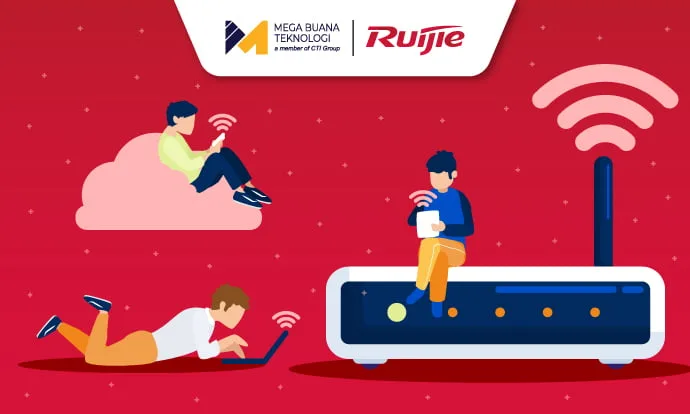
The demand for fast and reliable internet access continues to rise, especially in the business world. Traditional routers that simply connects devices to the internet are no longer sufficient to handle numerous connected devices across an organization. That’s where access points come in as the smart solution.
An access point not only connects multiple devices to a Wi-Fi network but also provides advanced capabilities that traditional routers simply can’t match.
So, what exactly is an access point, what functions does it serve, and how can it become the best solution for your business network? Read on to discover how this technology can transform your connectivity and empower modern business operations.
What Is an Access Point?
An access point is a hardware device that connects endpoints, such as computers, smartphones, laptops, or tablets to a wireless network like Wi-Fi. It is a key component of a Wireless Local Area Network (WLAN).
Wi-Fi technology embedded in access points has evolved significantly. Once limited to just 54 Mbps, it can now reach up to 30 Gbps to advanced developments such as Preamble Puncturing and Multi-Link Operation, which meet the growing need for higher connectivity.
5 Key Functions of an Access Point
Access Points do much more than just connect devices and broadcast Wi-Fi signals. They can maintain stable, secure, and scalable internet connectivity. Here are their main functions.
1. Extend Wi-Fi Coverage
They expand the reach of your wireless network so devices can stay connected even in larger or segmented areas, such as offices, hospitals, public spaces, or campuses where a single router can’t cover the entire area.
2. Connect Multiple Devices
Access points enable endpoint devices to connect to the network wirelessly, eliminating the need for physical cables.
3. Support Roaming
When multiple access points are deployed as part of the same network, devices can switch (roam) seamlessly between them. This is essential for environments with high mobility, such as offices, hotels, hospitals, or campuses.
4. Manage Multiple SSIDs
Deploy multiple Service Set Identifier (SSID), allowing you to segregate networks for guests and employees to improve network security and administrative control.
5. Provide Security Features
Access points are often equipped with security mechanism such as WPA/WPA2/WPA3 encryption and captive portals. These features protect against unauthorized access and allow you to manage users’ permissions effectively.
Why Access Points Are More Suitable for Business?
Now that we understand what access points do, you might wonder why it’s superior to ordinary routers for businesses. The answer lies in scalability and flexibility. In enterprise environments where dozens or hundreds of devices connect simultaneously, access points maintain connection quality without compromising signal strength.
Moreover, expanding Wi-Fi coverage with access point is simple and effective, ensuring every corner of your office is served by strong and stable connectivity. With multi-SSID management, your business data remains better protected while giving you control over network segmentation.
Among many options available on the market, Ruijie stands out as a trusted brand offering enterprise-grade access point solutions.
Ruijie Enterprise Access Points for Various Environments
Ruijie Enterprise offers a wide range of access point that tailored to diverse business needs whether for indoor, outdoor, and compact spaces. Their access points features SFP ports for fiber optic connections, Wi-Fi 6 speeds up to 9.6 Gbps, and AI Radio technology that enhance roaming, scanning, and inter-device security.

Figure 1. Illustration of the Difference Between Traditional Access Point Scanning and AI Radio Scanning by Ruijie
Unlike conventional access points with two radios, Ruijie deploys three active radios for real-time, full-band scanning, ensuring network security even when devices transition between access points.
3 Recommended Access Points from Ruijie Enterprise
Ruijie access points are deisgned for a wide range of environments, form indoor, outdoor, to minimalist area. Here are three recommended models.
1. Indoor Access Point
Ideal for indoor use in meeting rooms, lobbies, or offices. This models include:
- RG-AP840-I(V2): dual-radio, six spatial streams, and support speed up to 5.378 Gbps.

Figure 2. Ruijie Indoor Access Point RG-AP840-I(V2)
- RG-AP820-AR(V3): Wi-Fi 6 with three-radio, six spatial streams, and support speed up to 3.834 Gbps

Figure 3. Ruijie Indoor Access Point RG-AP820-AR(V3)
Both variants include 5 Gbps SFP and 5 Gbps electrical ports, supporting up to 1,024 users simultaneously.
2. Outdoor Access Point

Figure 4. Ruijie Access Point Outdoor, Wi-Fi 6 Dual-Radio 2.976 Gbps Outdoor Access Point, Omnidirectional Antennas
RG-AP680-O(V33) is designed for outdoor environments such as warehouse, campuses, and public spaces. It features dual-band operations (2.4GHz + 5 GHz), four spatial streams, up to 2.976 Gbps, and omnidirectional antennas. It’s engineered to adapt with outdoor conditions while supporting up to 1,024 concurrent users.
3. Wall-Plate Access Point

Figure 5. Wall Plate Access Point Ruijie RG-AP180-I
Compact and space-efficient, this option fits perfectly in hotel rooms, patient rooms, or small meeting rooms. RG-AP180-I features two radios, four spatial streams, speeds up to 2.976 Gbps, operational modes (Fat, Fit, Cloud) and PoE (802.3af/at) support. It can handle up to approximately 256 users.
Monitor Your Access Points via Ruijie WIS Cloud

Figure 6. Access Point Monitoring Display with Ruijie WIS Cloud
Ruijie provides a cloud network management platform called Wired & Wireless Intelligent Service (WIS) Cloud, which enables you to plan, deploy, operate, and maintain your network efficiently. Leveraging big data, cloud computing, and AI capabilities, WIS Cloud delivers real-time and precise management for enterprises and partners.
Through WIS Cloud, you can conveniently monitor data traffic, alarms, device status, and site information efficiently in one unified platform.
Get Ruijie Access Point & WIS Cloud Solutions Only at MBT
As an authorized distributor and partner of Ruijie Enterprises, the experienced IT team at Mega Buana Technology (MBT) is ready to help you implement Access Point and WIS Cloud systems seamlessly. As part of CTI Group, MBT provides end-to-end support, covering consultation, deployment, maintenance, and after-sales support to minimize trial-and-error risks.
Contact the MBT team now for FREE consultation.
Author: Anggita Olivia Herman – Content Writer CTI Group